Supermaven still works.
Here's the fix.
Supermaven is by far the fastest code autocomplete for JetBrains IDEs — but it was abandoned after the Cursor acquisition in late 2024 and no longer loads on newer IDE builds. This page has patched versions you can install in one click.
The problem
After updating your JetBrains IDE (IntelliJ, CLion, WebStorm, PyCharm, GoLand, Rider, etc.) you see this error when trying to use Supermaven:
Plugin 'Supermaven' (version '1.43') is not compatible with the current version of the IDE,
because it requires build 252.* or older but the current build is XXX.
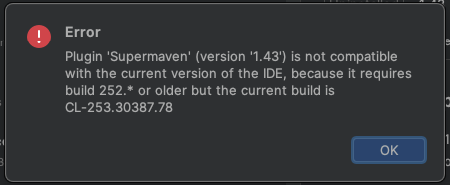
The plugin itself works fine — it's just a version ceiling in its metadata
(until-build="252.*") that tells the IDE to reject it.
Since Supermaven was abandoned, nobody shipped an update to raise that ceiling. Until now.
The fix: download a patched build
Download the .jar matching your IDE build number and install it via
Install Plugin from Disk. That's it — Supermaven works exactly like before.
1. Find your IDE build number
Open your JetBrains IDE and go to Help → About (macOS: App Name → About). Look for the build number — the first three digits are what you need.
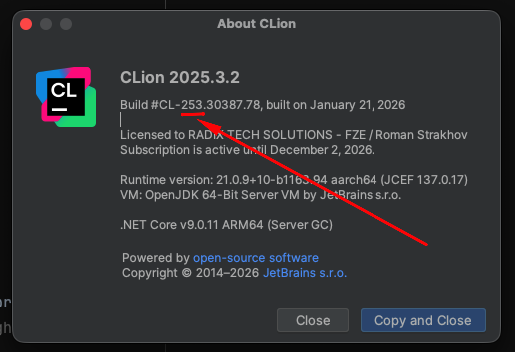
2. Download the matching .jar
Show future builds (262–283)
3. Install the plugin
In your IDE go to Settings → Plugins → gear icon (⚙) → Install Plugin from Disk…,
select the downloaded .jar, and restart.
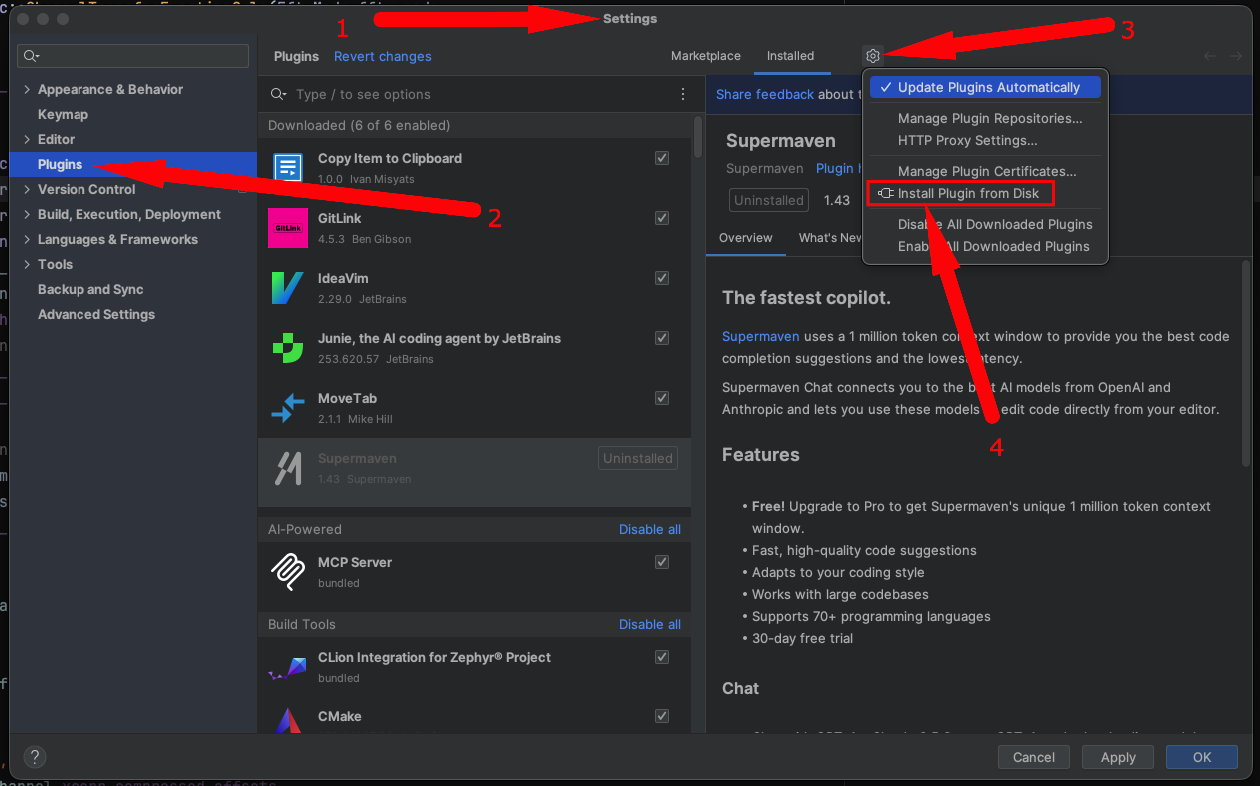
Patch it yourself (for future IDE versions)
If your IDE build isn't listed above, you can patch the original .jar
yourself with the included shell script. This takes about 10 seconds.
-
Open
update-vers-and-pack.shand set your target version:TARGET_INTELLIJ_VERSION="258.*" # ← change to match your IDE -
Run:
The script uses any existingbash update-vers-and-pack.sh.jarfromjar/as a base — no extra download needed. -
Install
jar/supermaven-1.43-patched.jarvia Install Plugin from Disk.
What does the script do?
It unzips the JAR, changes until-build="252.*" in
META-INF/plugin.xml to your target version, and repacks it.
That single attribute is the only thing preventing the plugin from loading.
Bug fix note
An earlier version of this script had a hardcoded sed pattern
(until-build="243.*") that silently failed when the JAR
contained a different version. The current script uses a generic regex
[^"]* that matches any value.